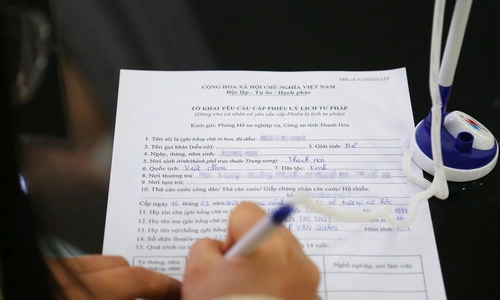
Reader Ngoc Tran
Master of Law Nguyen Truc Anh advises:
I understand your concerns as you plan for a long-term trip abroad. Decree 49/2025/ND-CP outlines the conditions under which a temporary exit ban may be applied due to tax debt. Understanding these regulations is crucial to ensure a smooth departure.
A temporary exit ban can be enforced in the following situations:
Case 1: Individual business owners or household business owners who are subject to administrative enforcement decisions regarding tax management, have a tax debt of 50 million VND or more, and the payment is overdue by over 120 days.
Case 2: Individuals who are legal representatives of enterprises, cooperatives, or cooperative unions, are subject to administrative enforcement decisions regarding tax management, have a tax debt of 500 million VND or more, and the payment is overdue by over 120 days.
Case 3: Individual business owners, household business owners, or legal representatives of enterprises, cooperatives, or cooperative unions who are no longer operating at their registered address, have overdue tax debt as stipulated, and have not fulfilled their tax obligations 30 days after the tax authority notified them of an impending temporary exit ban.
Case 4: Vietnamese citizens exiting to settle abroad, overseas Vietnamese, or foreigners who have overdue tax debt as stipulated and have not fulfilled their tax obligations before departing from Vietnam.
It is important to note that cases 3 and 4 do not specify a minimum tax debt threshold; the temporary exit ban applies when the payment deadline has passed as regulated.
To check your tax debt before exiting Vietnam, you can follow one of the two methods below:
Method one: Check tax debt using the eTax Mobile application.
Step 1: Log in to your eTax Mobile account on your mobile phone. You can choose to log in via your VNeID account or directly. For direct login, your tax code is your citizen identification number, and the password is one you set previously.
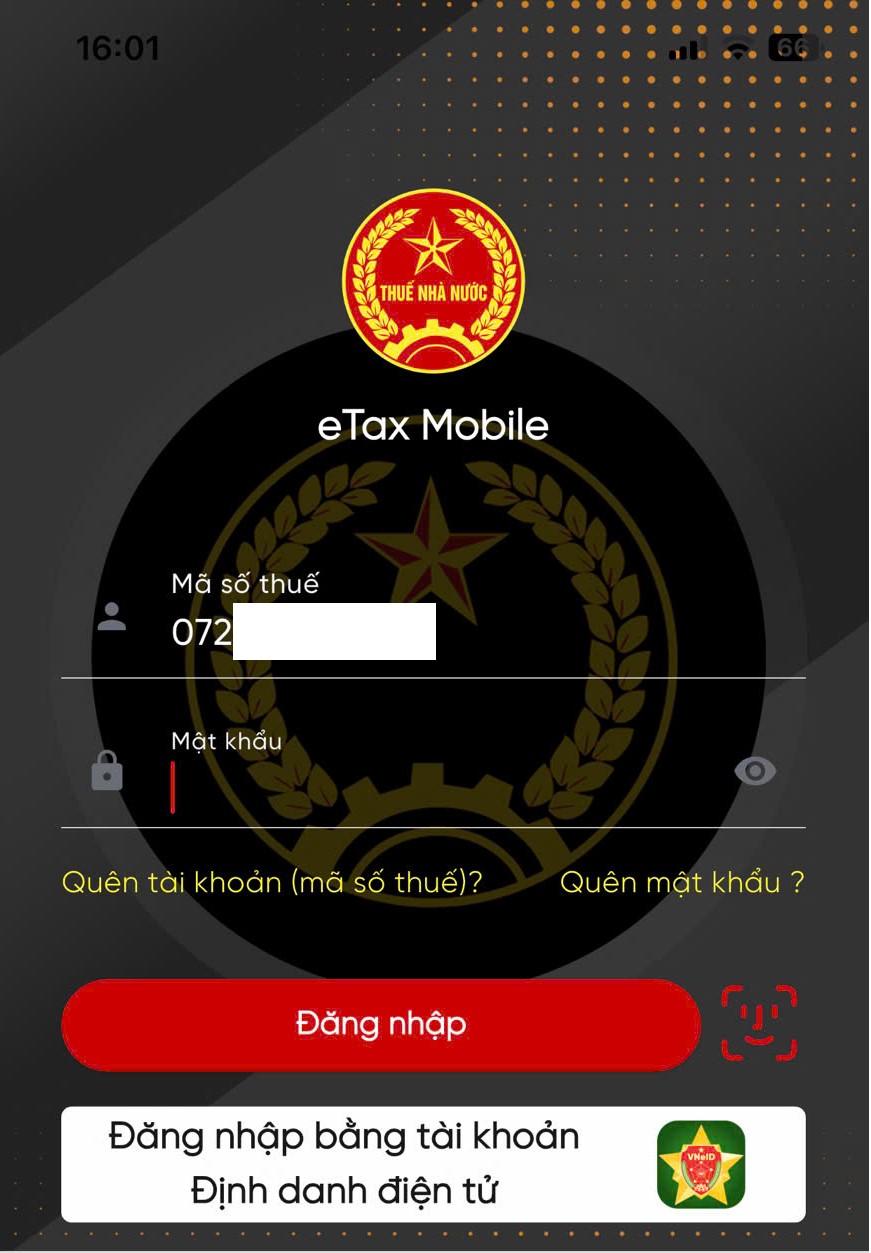 |
Step 2: After logging into your eTax Mobile account, select "look up tax obligations."
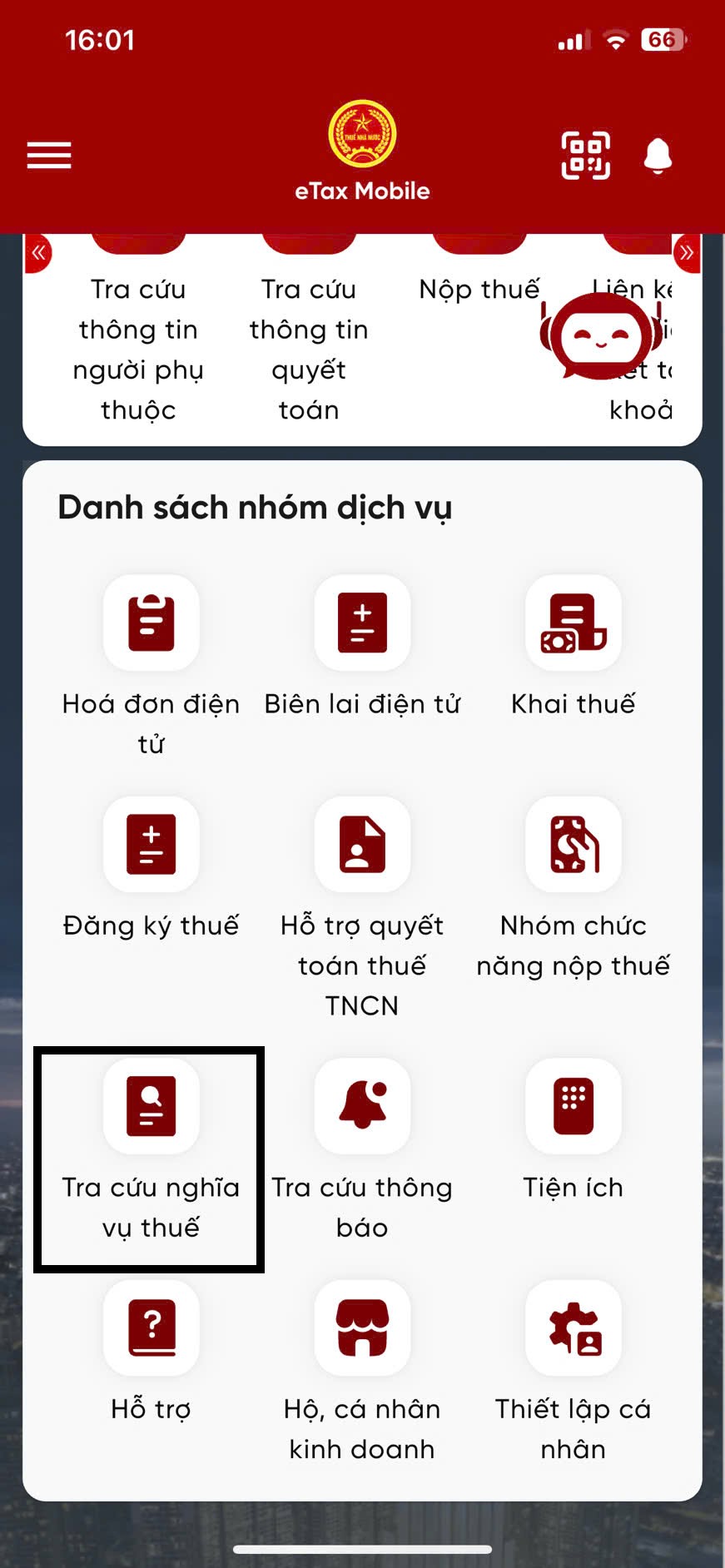 |
Step 3: Select "tax obligation information" and then "search."
 |
Step 4: The system will display "no tax obligations incurred" at the time of inquiry if you have no tax debt. If you do have outstanding tax debt, it will show detailed items, the amount owed, and when the debt originated.
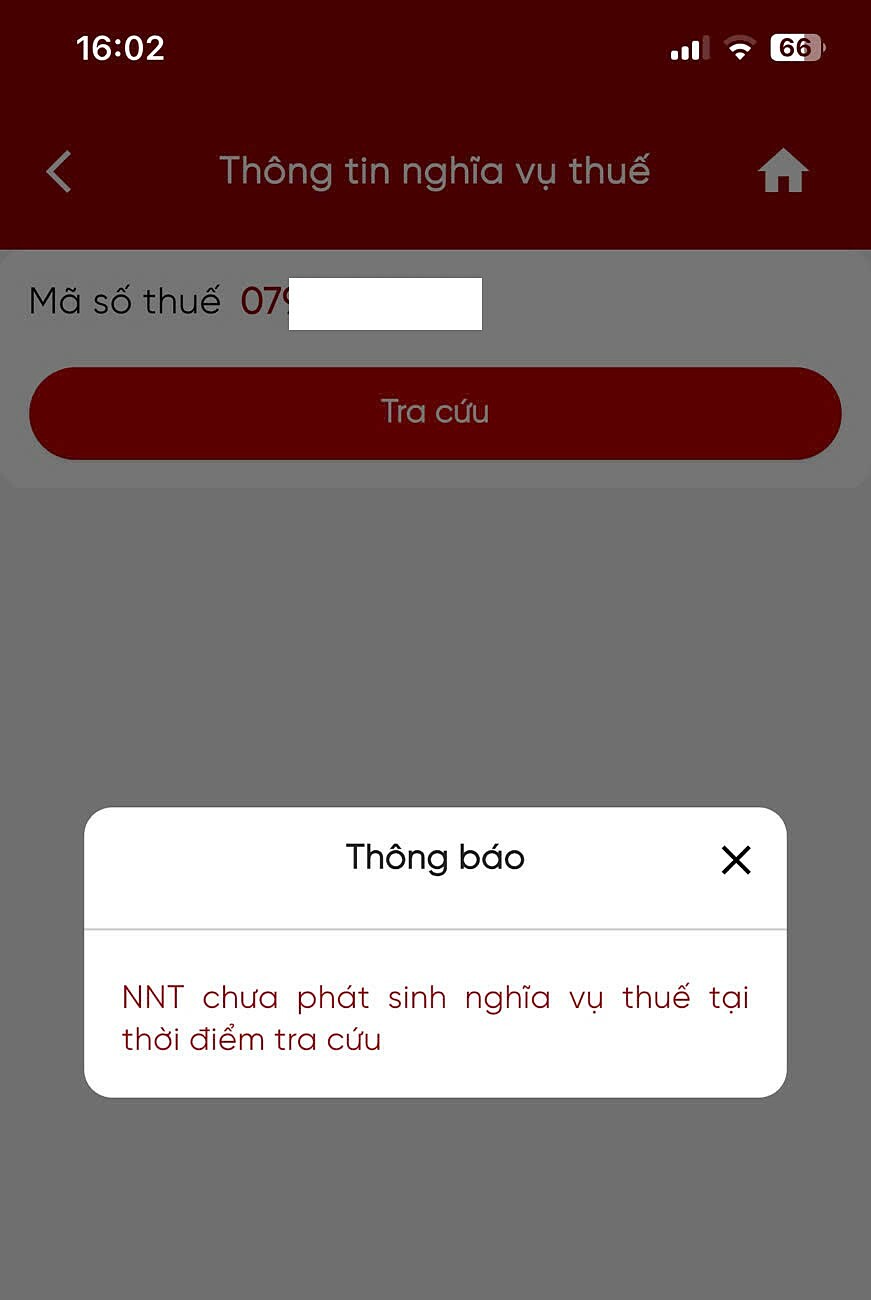 |
Method two: Check tax debt on the Tax Department's Public Service website.
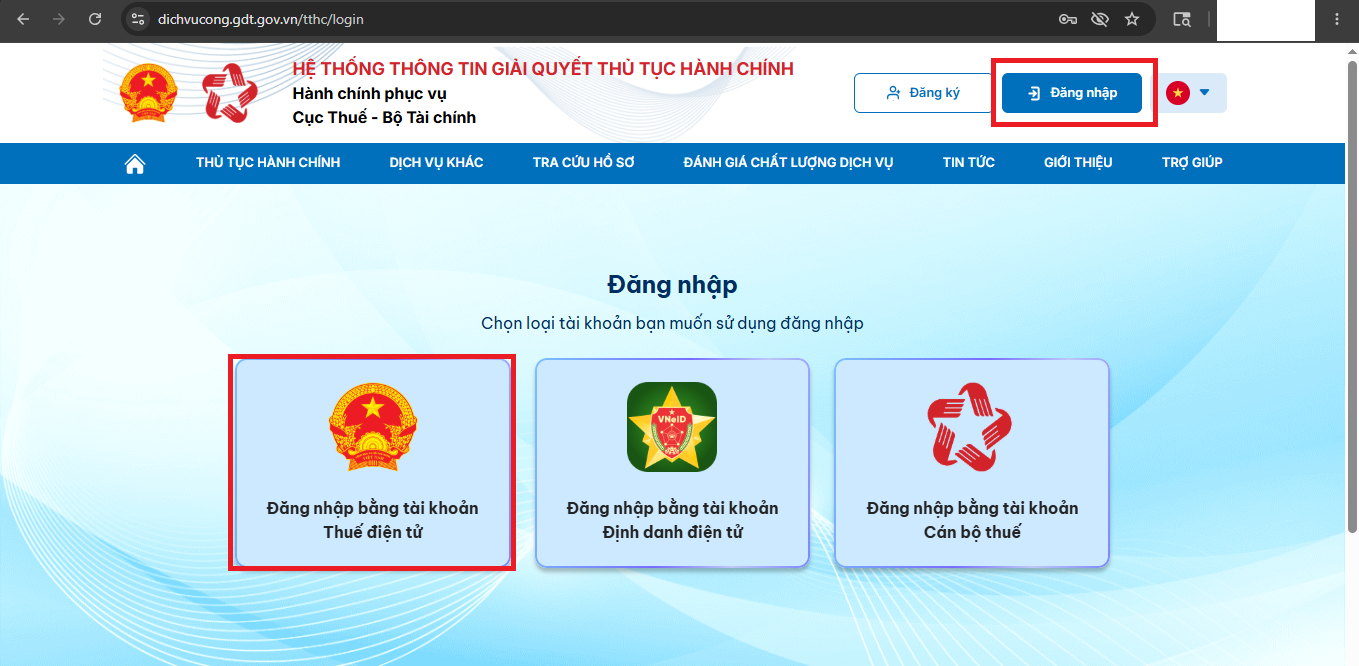
Step 1: Access https://dichvucong.gdt.gov.vn/tthc/homelogin and select "login." Here, you can choose to log in using your e-Tax account. Alternatively, you may also log in using your electronic identification account.
 |
Step 2: The system will then display login options; select "individual."
 |
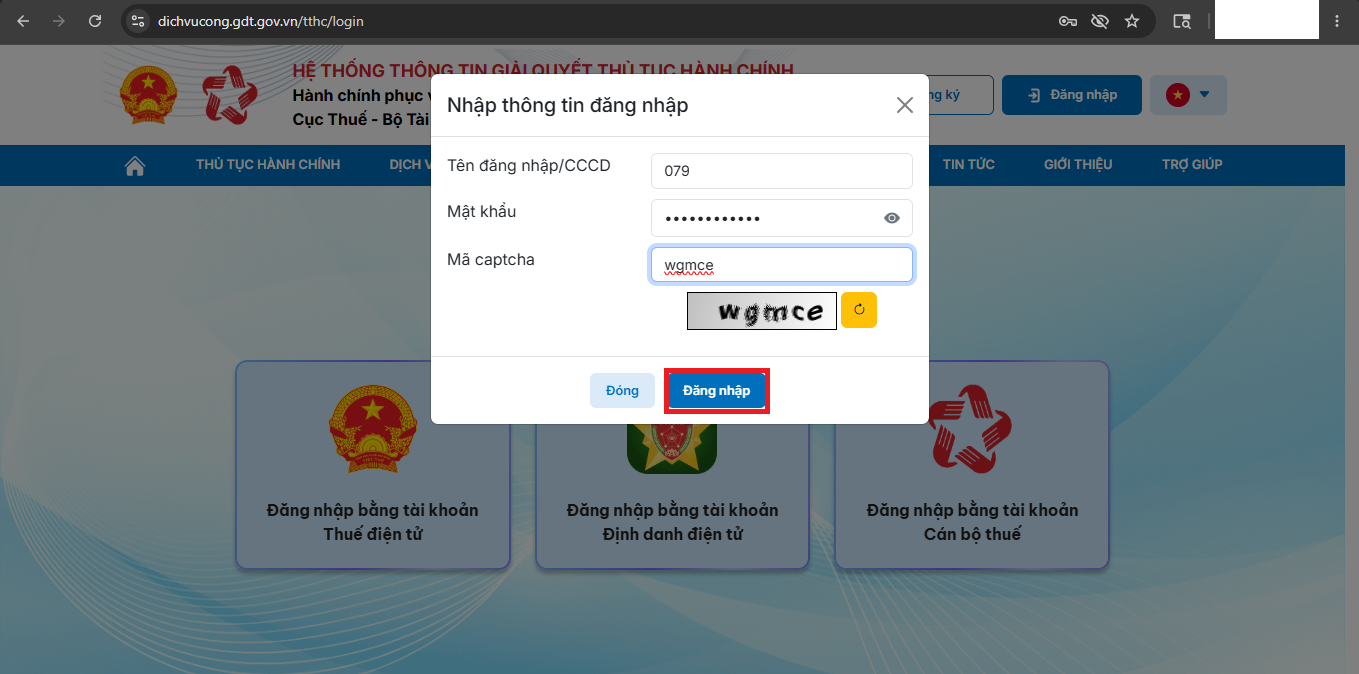
Step 3: Enter your tax code (which is your citizen identification number), password, and captcha code, then proceed to log in.
 |
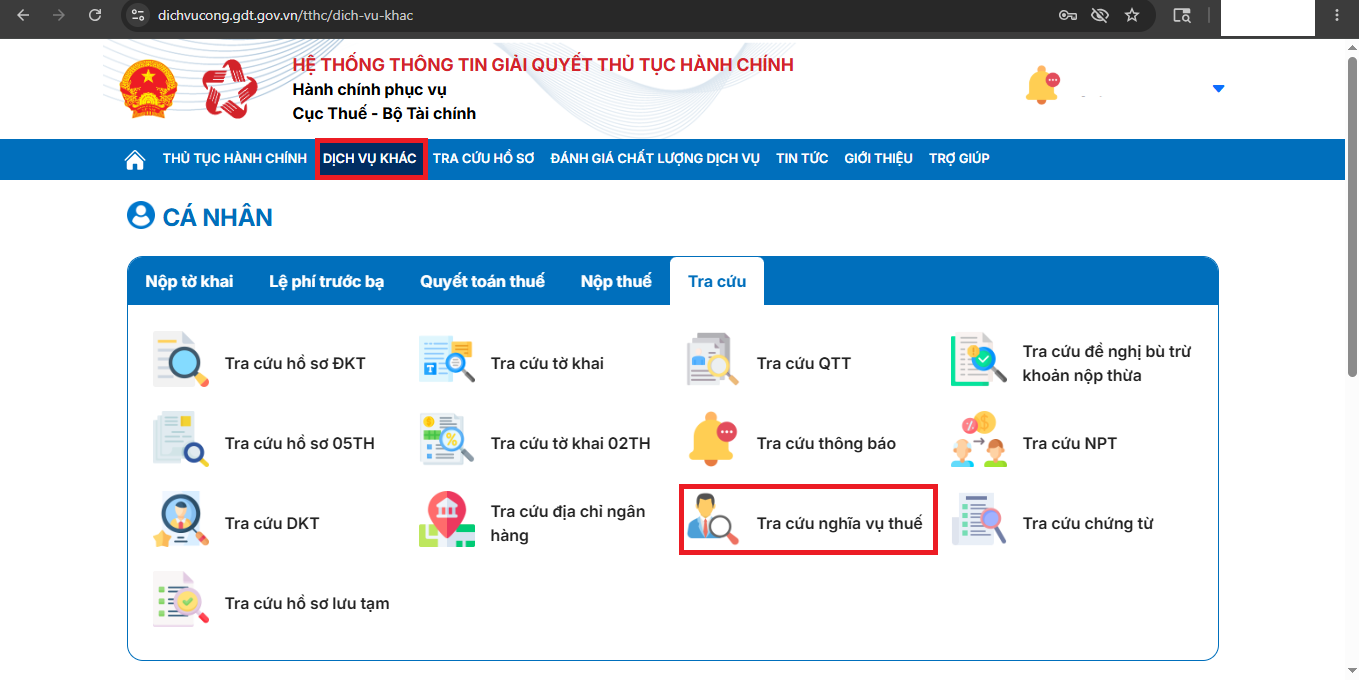
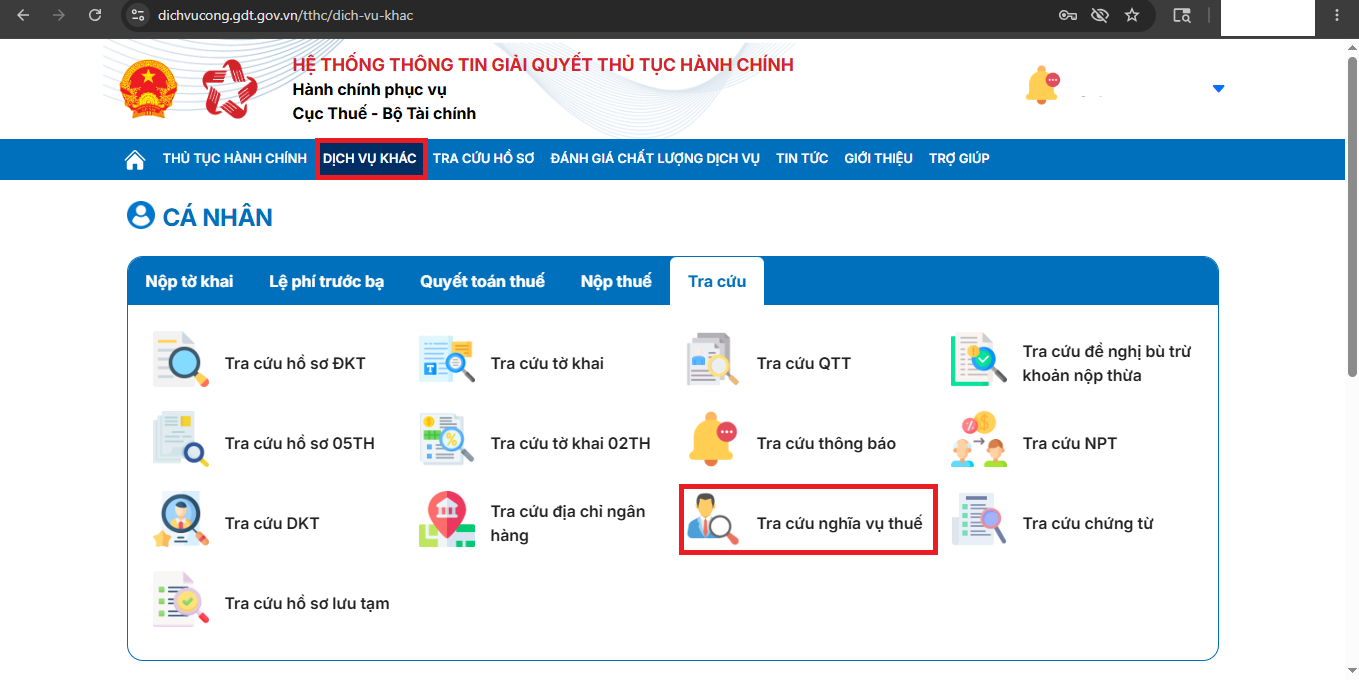
Step 4: After successfully logging in, select "other services" and then "search." Next, choose "look up tax obligations."
 |
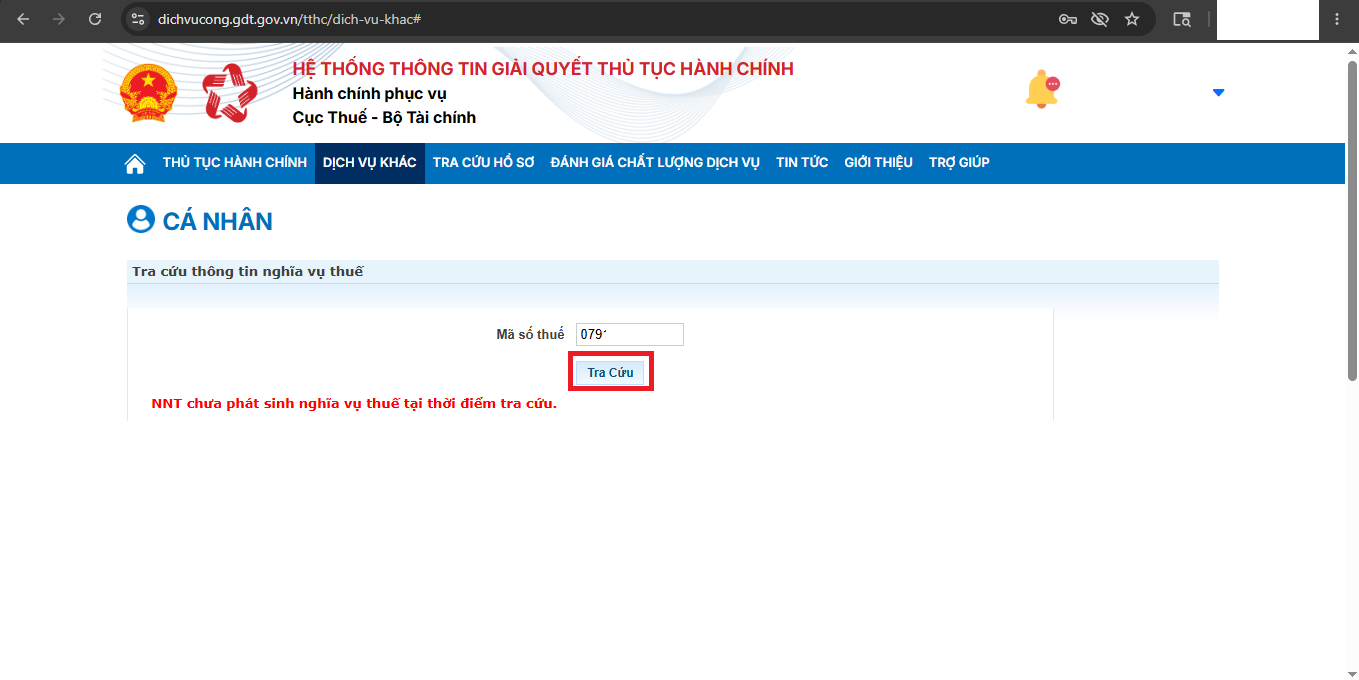
Step 5: Click the "search" button. The system will display "taxpayer has not incurred tax obligations" at the time of inquiry (if you have no tax debt) or a detailed list of each item, the tax debt amount, and the date the debt originated (if you have tax debt).
 |
If you find any tax debts that are not yours, you should promptly notify the tax authorities for resolution.