
Obtaining a certified digital copy from an original document is a process where a competent authority verifies that an electronic copy accurately matches the original paper document. This is stipulated in Clause 9, Article 3 of Decree 45/2020/ND-CP, which governs administrative procedures in the electronic environment.
According to Clause 2, Article 14 of Decree 45, the electronic results of administrative procedures issued by a competent authority hold the same legal validity as their paper counterparts. Therefore, an online certified copy of a citizen identity card (CIC) carries the same legal weight as a certified paper copy.
This guide outlines the steps to obtain a certified copy of your CIC online:
Step 1: Log in to the National Public Service Portal at https://dichvucong.gov.vn/.
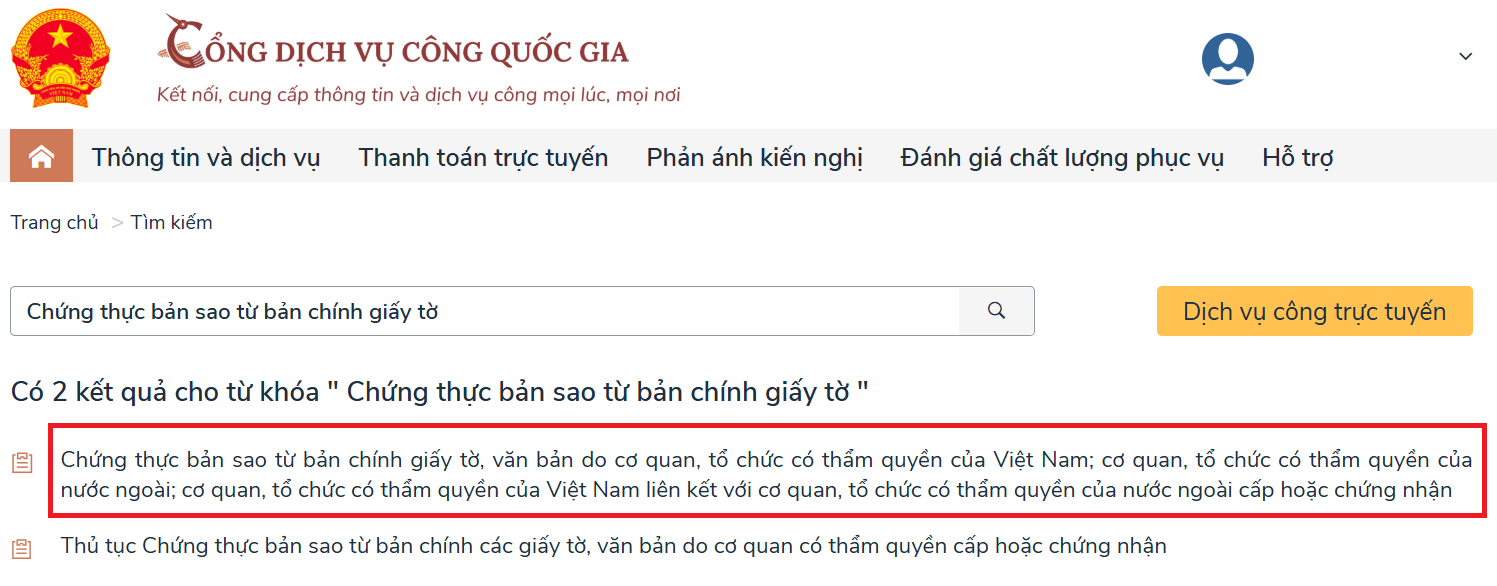
Step 2: After successful login, enter "Chung thuc ban sao tu ban chinh giay to" (certify copy from original document) into the search bar. The system will display various options; select the relevant one as shown in the image.
 |
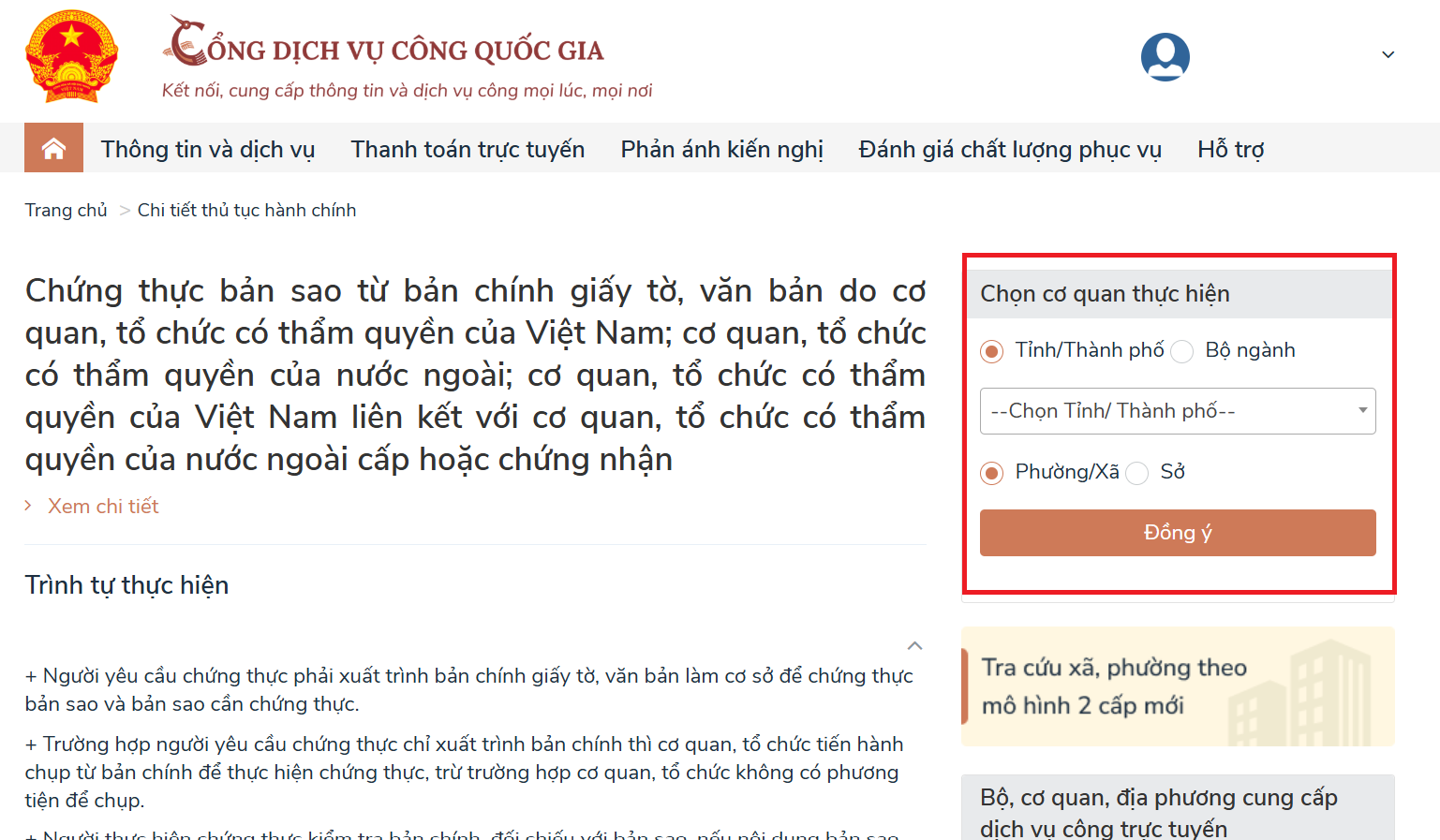
Step 3: In the section for certifying copies from original documents and texts issued by competent Vietnamese agencies or organizations, select the executing agency. This includes choosing your Province/City and Ward/Commune according to the new 2-tier government model, then click "Dong y" (agree).
 |
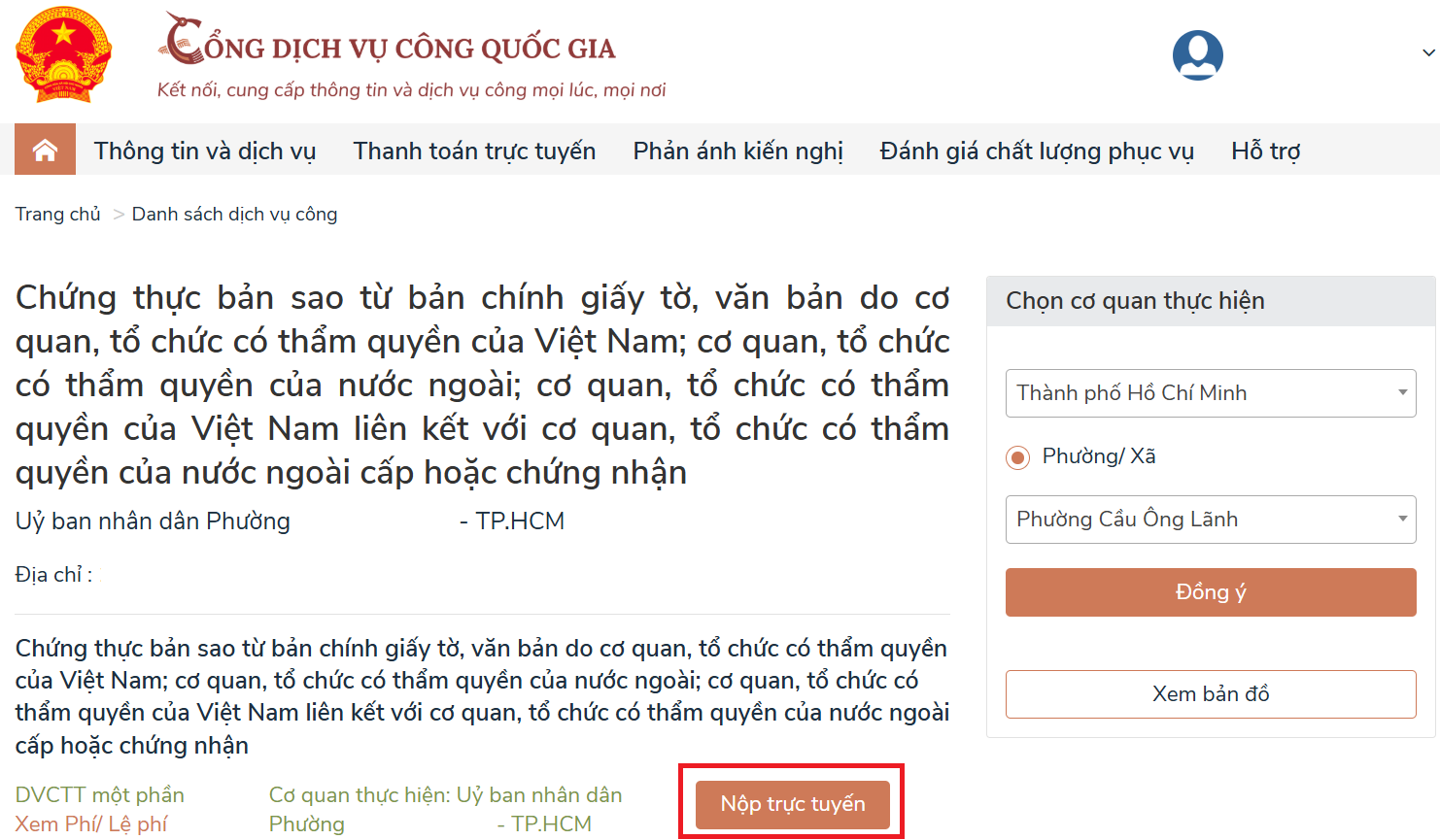
Step 4: Once your selection is complete, the system will display the chosen executing agency. Click "Nop truc tuyen" (submit online).
 |
Step 5: After selecting "Nop truc tuyen", the system will redirect you to the administrative procedure resolution information system of the local area where you chose to submit your request for a CIC copy.
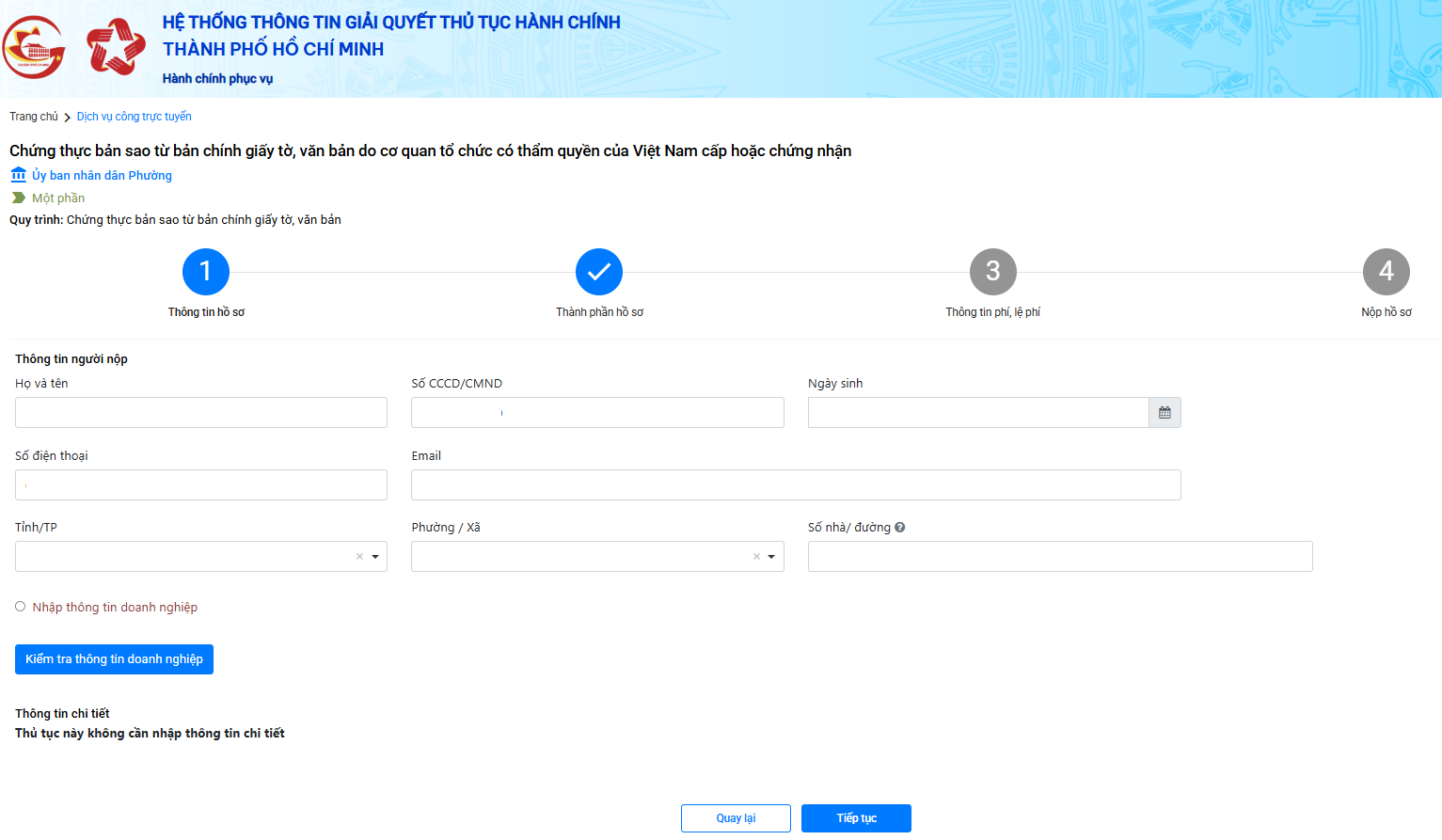 |
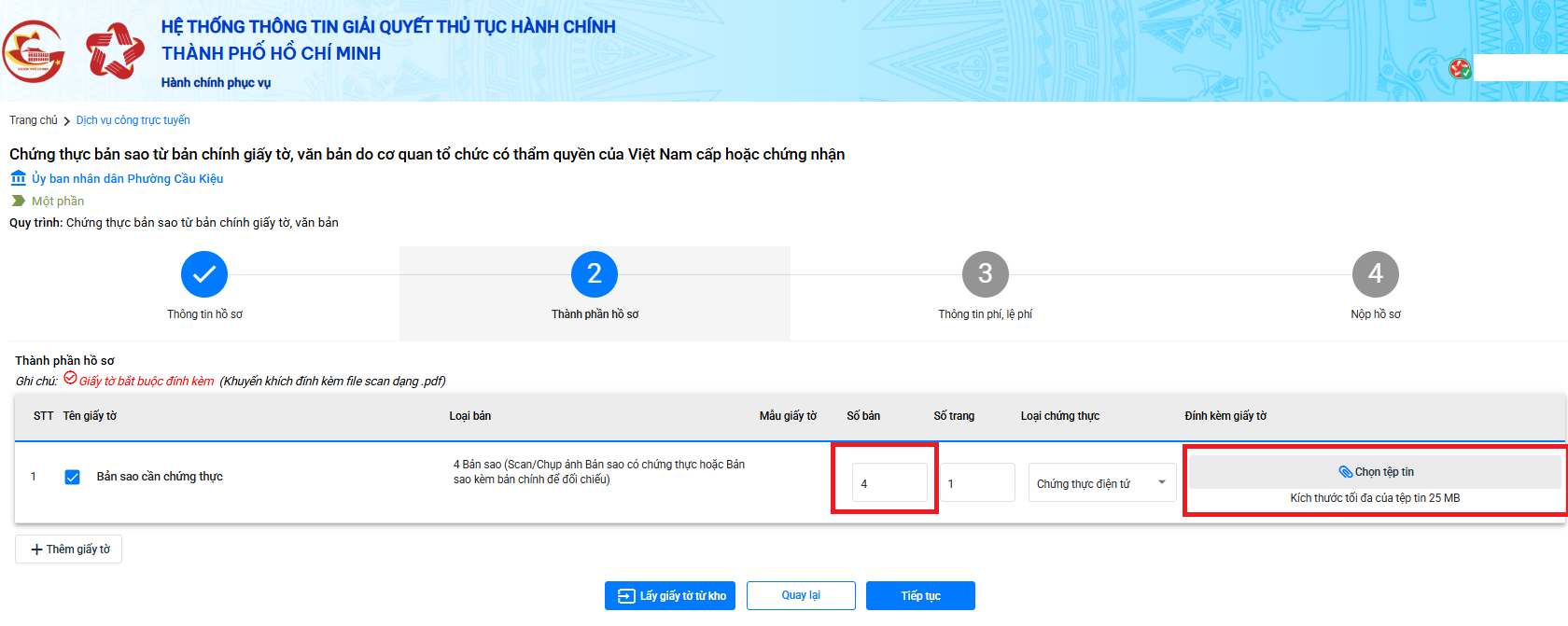
Step 6: At this stage, review and fill in any missing information. Then, select the required dossier components. Specify the number of copies you need and attach scanned images of both sides of your original CIC. After completing this, click "Tiep tuc" (continue) to proceed to the fee information step.
Important notes:
- To avoid confusion, name your image file using the format: Full Name_Citizen Identity Card.
- You must combine images of both sides of your CIC into a single PDF file, as the system only accepts this format.
 |
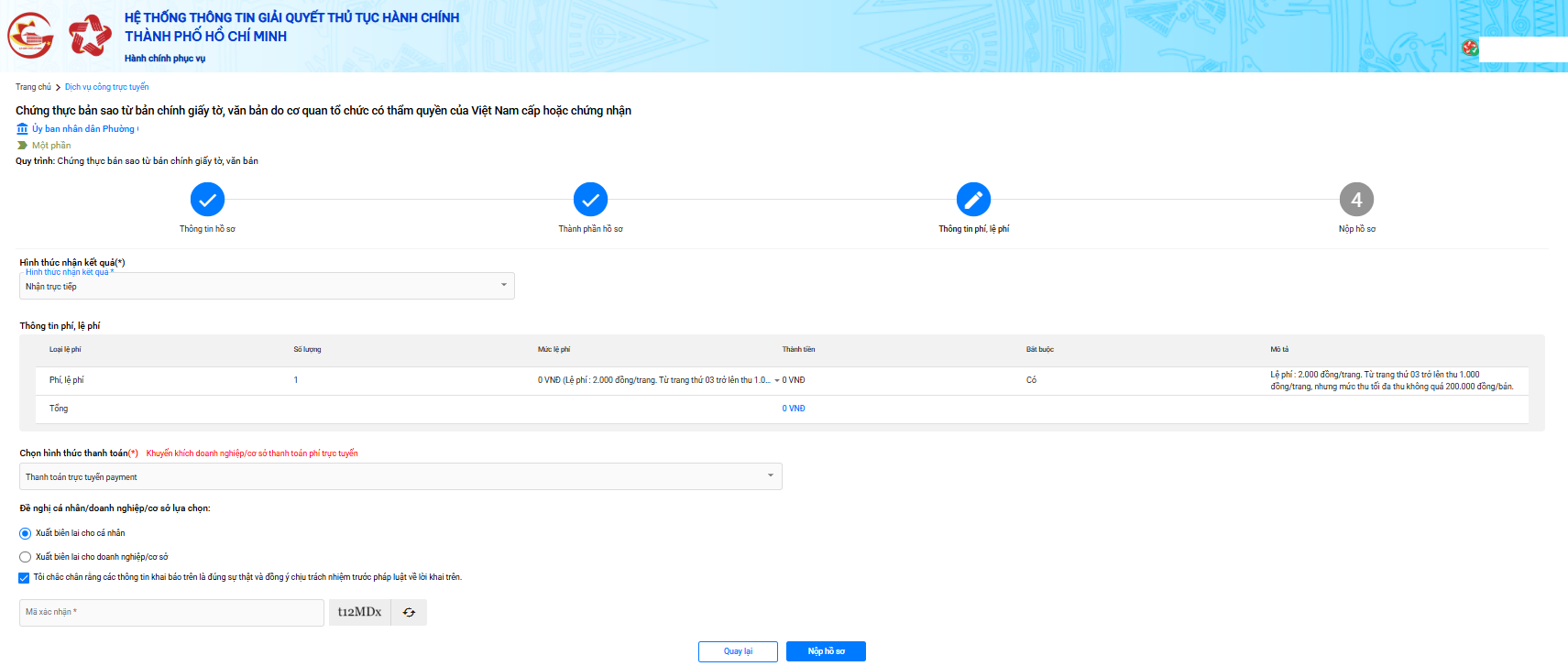
Step 7: In the fee information step, choose your preferred receipt method. Depending on your needs, you can select from the following options:
- Direct pickup.
- Online receipt.
- Home delivery via postal service.
Next, select an online payment method.
Fees vary based on the number of copies requested. If you choose home delivery via postal service, an additional postal service fee will be charged upon receipt of your CIC copy.
 |
Step 8: After completing all steps, click "Nop ho so" (submit dossier). The system will confirm successful submission. The remaining task is to await the results. Depending on your chosen receipt method, monitor notifications via email and phone to receive your certified copy.
According to Decree 23/2015/ND-CP, which regulates the issuance of copies from original registers, certification of copies from originals, signature certification, and contract/transaction certification, the processing time for issuing a copy is within one working day. If the request is submitted after 3 p.m., the processing deadline extends to the next working day. For complex cases requiring further verification, the process may take up to two working days.
If the processing time exceeds the stipulated period, contact the People's Committee of the ward where you submitted the application for assistance.
Master of Law Nguyen Truc Anh